SnapRid finds every screenshot on your Mac and sorts them out on its own.
SnapRid scans the folders you choose, reads what is actually in each screenshot, and sorts receipts, invoices, code, chats, and everything else into place automatically. Duplicates get grouped together, old ones get flagged, and all of it happens on your Mac. Nothing is ever uploaded anywhere.
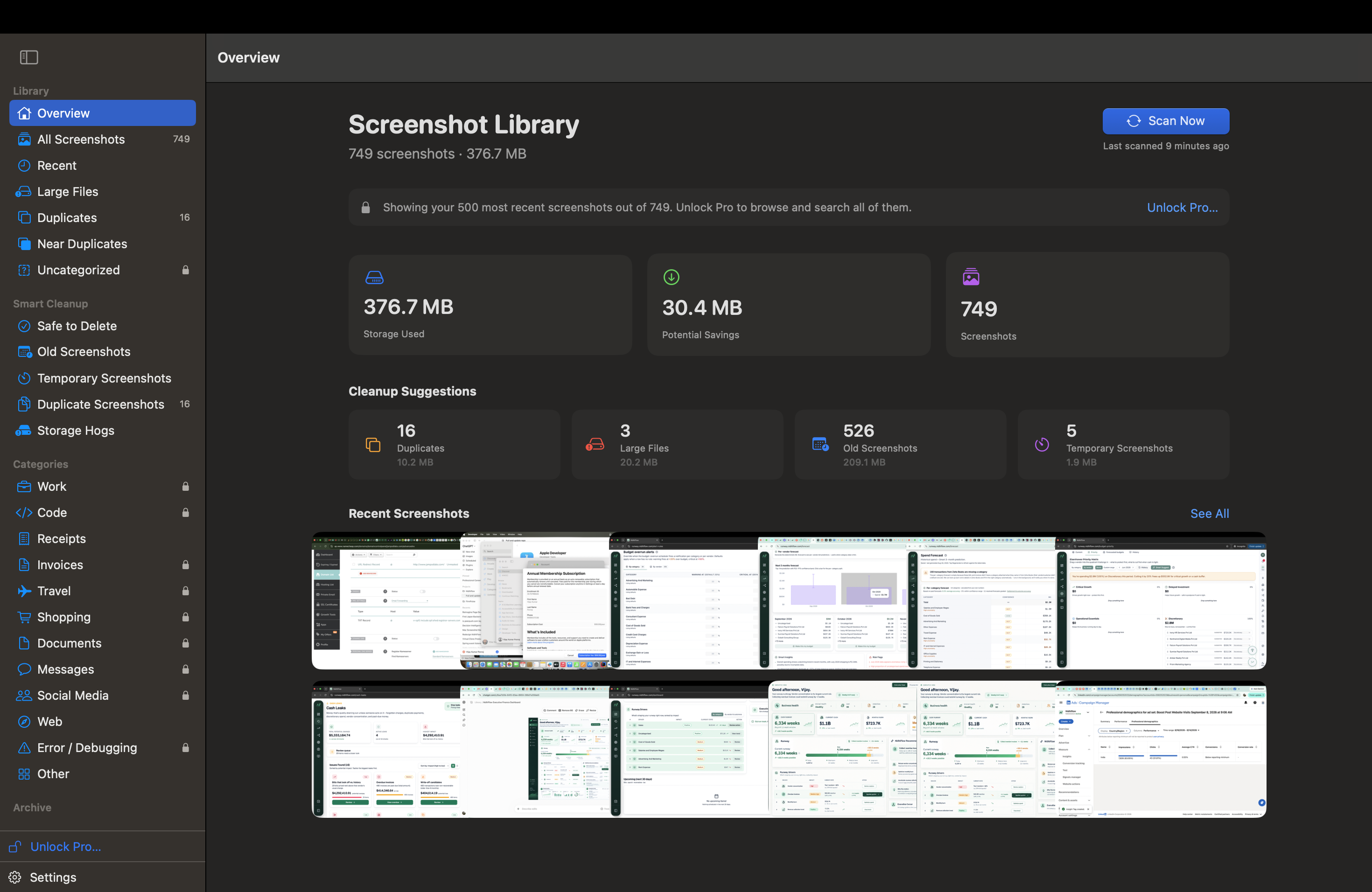
Four small jobs, done automatically.
Sorted automatically
SnapRid reads the text in every screenshot and sorts it into categories like receipts, invoices, code, travel, and chats, without you lifting a finger.
Search by what it says
Search finds a screenshot by what is actually written in it, not just by a filename you never gave it.
Duplicates, cleared out
Exact copies and near identical screenshots get grouped together, so you can keep the one you need and clear out the rest in one pass.
Archive and export
Move what you want to keep into a tidy folder structure by year and month, or bundle a selection into a ZIP file to send along.
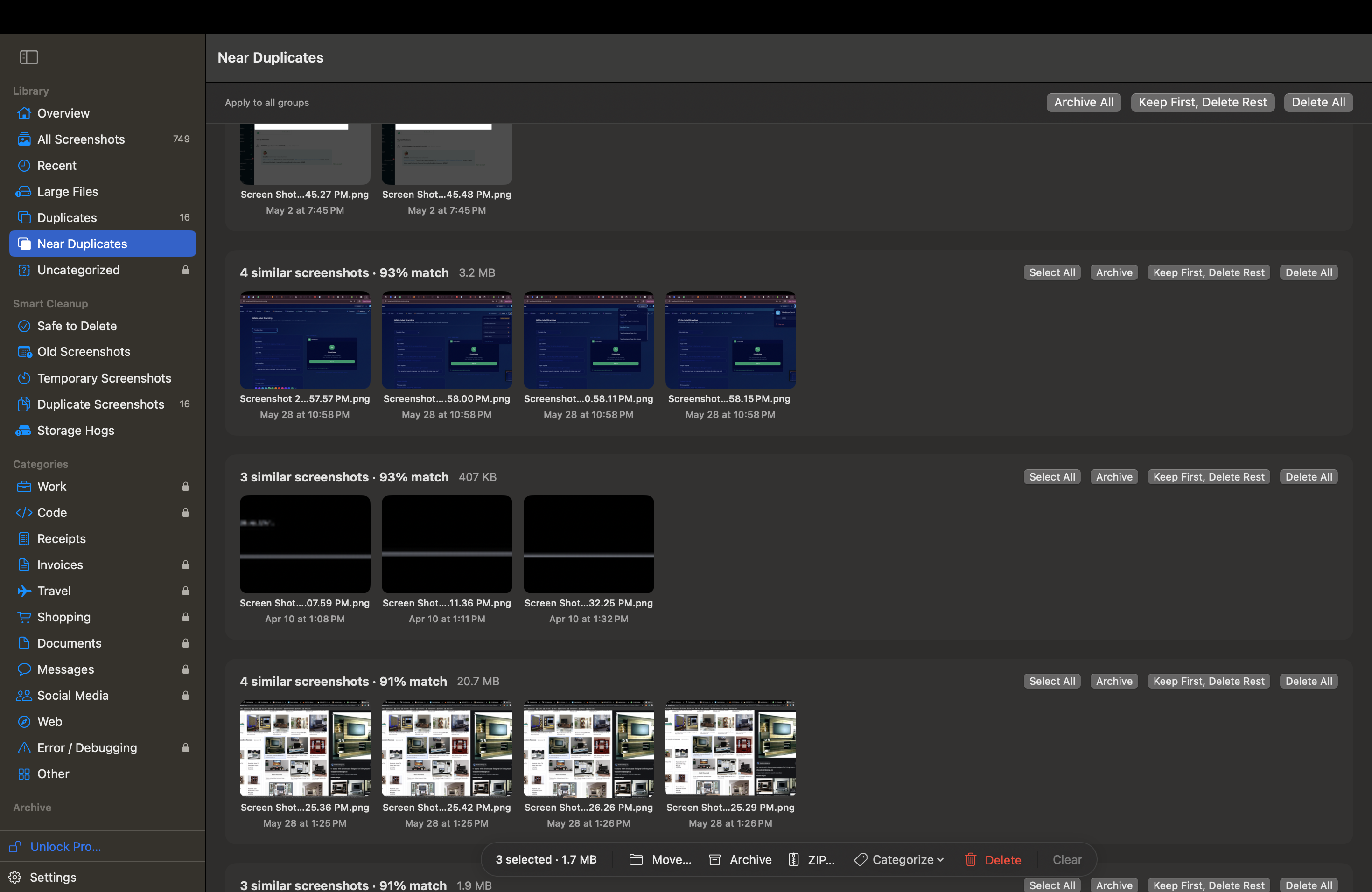
Group them, pick a side, move on.
SnapRid groups screenshots that are exact copies or close enough to be, each group labeled with its match percentage. Keep the one you want and clear out the rest with Archive, Keep First and Delete Rest, or Delete All, applied to one group or to everything on the page at once.
Everything happens on your Mac.
SnapRid has no server of its own and no account to sign into. Screenshots, recognized text, and your library index never leave your Mac. The only network connection SnapRid makes at all is Apple's own App Store, to handle the optional Pro purchase.
Free to scan and browse. One purchase to unlock the rest.
Scan, browse, and search by filename.
- Scan and browse your library, up to 500 screenshots.
- Filename search across your library.
- The three categories SnapRid sorts most of your screenshots into.
- Browse Duplicates and Smart Cleanup groupings.
Everything SnapRid can do.
- On-screen text search across every screenshot.
- Every category, not just the top three.
- Duplicate cleanup, Archive, and ZIP export.
- One-time purchase. No subscription, no account. Price announced at launch.